
WhatsApp Broadcast Messages: Reach Many Customers At Once Without Losing The Personal Touch
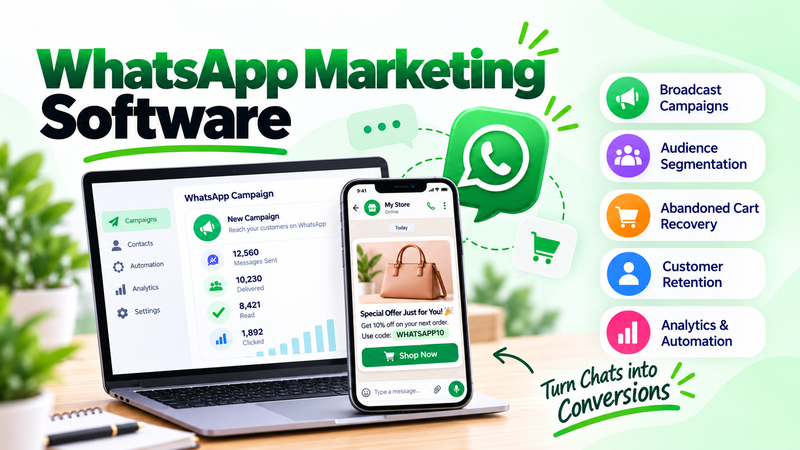
Picture this: you are launching a new product, and you want your most interested customers to hear about it first. You could post on social media and hope they see it, or send an email that may sit unopened for days. Meanwhile, the people who care most are checking their phones for messages from friends and family many times a day.
Now imagine the opposite. You send one short, friendly update to everyone who asked to hear from you, and it lands in the same place as their personal chats. Most of them see it within minutes. That's what WhatsApp broadcast messages make possible: a way to reach a whole audience while the message still feels like it came from a person.
Most businesses treat messaging apps as a place for one-to-one support only. But the ones that grow understand that a well-timed, permission-based update can deliver attention that other channels struggle to match.
Why WhatsApp Broadcast Messages Matter So Much
People open and read messaging apps far more often than most inboxes. A short update there feels immediate, personal, and easy to act on with a single tap.
Here's what a lot of owners overlook: attention is only half the story. Because people choose to receive these updates, the audience is already interested, which makes the content more welcome and the results more meaningful.
Think about how it fits with your other channels. Email is good for longer content, social media is good for discovery, and broadcast messages are good for quick, timely news that people should not miss.
Consider the long-term effect too. Each useful update strengthens the habit of reading your messages, while each irrelevant one weakens it. Over months, that difference decides whether your audience welcomes your name or quietly mutes it entirely.
What You Should Look For
First, clear permission handling. Contacts should opt in before receiving updates, and your tool should record that choice and make leaving simple.
Second, audience grouping, so you can send different updates to different lists, such as new customers, loyal buyers, or a specific location.
Third, message templates and rich content, including images, buttons, and links, so updates look professional and invite action.
Fourth, scheduling, so messages arrive at sensible times rather than late at night.
Fifth, delivery and reply reporting, so you can see how many people received, read, and responded.
Different Ways To Use Broadcasts
Product launches that let your best customers hear first
Limited-time offers with a clear deadline and a direct link
Order and delivery updates that keep customers informed without extra effort
Event reminders for webinars, store openings, or appointments
Back-in-stock alerts for items people have asked about
How To Write Broadcasts That People Welcome
Keep it short. A few clear lines work better than a long block of text, since people read these on the go.
Lead with the point. Put the news or offer in the first sentence, and then add one line of detail.
Include one clear action. A single link or button is easier to follow than several competing options.
Sound human. Use a friendly, natural tone, and sign with a real name where possible.
Respect frequency. Too many messages make people leave, so send only when you have something genuinely useful to say.
Make replying easy. Invite questions, and answer them quickly, since conversation is what makes this channel special.
Segment before you send. A message about a new arrival means more to people who bought similar items than to someone who joined yesterday. Even two or three simple groups make updates feel more relevant.
The Numbers Behind Messaging Broadcasts
Messages on chat apps are typically read faster than email, which makes them well suited to time-sensitive news.
Updates sent to opted-in audiences generally earn stronger engagement than messages sent to people who never asked to hear from you.
Offers that include a single clear link tend to convert better than messages with many choices, since the next step is obvious.
Finding The Right Tool For Your Needs
Sending messages by hand from a phone works for a handful of contacts, but it becomes slow and hard to manage as your audience grows.
If you want audience lists, scheduling, templates, and reporting in one place, platforms like Adflipr help you manage WhatsApp broadcast messages while keeping consent records and replies organized.
Getting Started This Week
Start with permission. Add a simple opt-in to your website, checkout, or store, explaining what people will receive and how often.
Then send one short update to a small group and watch the response. WhatsApp broadcast messages work best when you begin small, learn what people like, and grow from there.
Final Thought
The strongest messages feel personal even when they reach many people. Ask permission, say something useful, and keep it short. Start your WhatsApp broadcast messages this week, and give your most interested customers a direct line to what matters to them.
Comments
No comments yet. Be the first to comment!