
Popup Builder for Shopify: Why Generic Tools Often Fall Short For Store Owners
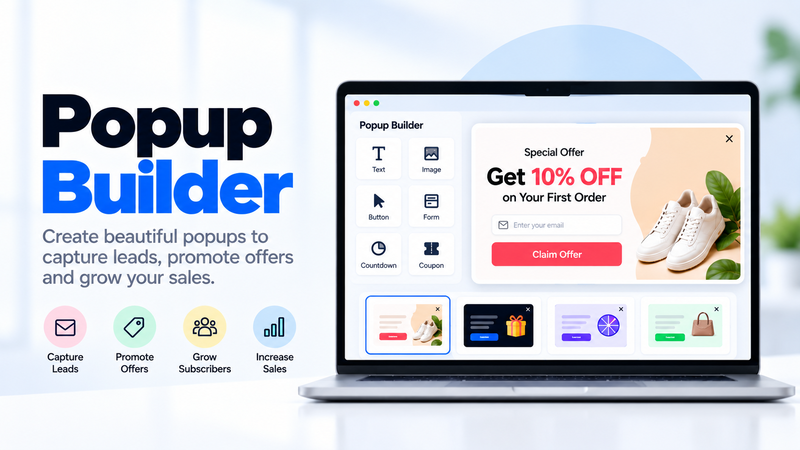
Picture this: you install a general-purpose popup tool on your Shopify store, build a simple email capture popup, and it works fine until you try to show a specific product or dynamic pricing inside it. Suddenly you're manually updating image URLs and prices every time your catalog changes, because the tool has no real connection to your actual store data.
Now imagine a popup builder that pulls product images, prices, and stock status directly from your Shopify catalog automatically, so a popup promoting a specific item always stays accurate without you touching it again. That's the real difference a popup builder for Shopify specifically should offer over a generic, platform-agnostic tool.
Most popup builders are built to work broadly across any website, which means they treat your store the same as a blog or a portfolio site. A tool built with Shopify specifically in mind can do meaningfully more, because it actually understands your products, your cart, and your checkout flow.
Why Shopify-Specific Integration Matters So Much
A generic popup tool can show a message. A genuine popup builder for Shopify can show the exact product a visitor was just looking at, reflect real-time stock levels, and apply a discount code directly tied to your store's actual promotions. That gap shows up directly in how relevant and effective your popups actually are.
Here's what a lot of store owners discover the hard way: without real store integration, keeping popups accurate becomes an ongoing manual task, updating prices, swapping out sold-out products, adjusting promotional codes, every time something changes in the store itself.
What You Should Look For
First, native Shopify integration, pulling in real product data, prices, and stock levels automatically rather than requiring manual entry.
Second, cart and checkout awareness, allowing popups to trigger based on actual cart behavior, like an abandoned cart warning or a free-shipping-threshold nudge.
Third, discount code integration, letting a popup apply a real, trackable Shopify discount code directly rather than a generic code you have to manage separately.
Fourth, customer segment awareness, differentiating between first-time visitors and returning customers using your actual Shopify customer data.
Fifth, mobile-optimized popup rendering, since a large share of Shopify store traffic typically comes from mobile devices.
Different Ways Shopify Stores Use Popups
• Email capture popups offering a first-purchase discount in exchange for a signup
• Cart abandonment popups triggered when a visitor attempts to leave with items still in their cart
• Free shipping threshold popups nudging visitors to add one more item to qualify
• Product-specific promotional popups highlighting a sale or limited stock on a particular item
• Post-purchase upsell popups suggesting a complementary product right after checkout
How To Build Shopify Popups That Actually Convert
Use real product data wherever possible. A popup showing the actual item a visitor was viewing, with accurate price and stock status, feels far more relevant than a generic store-wide offer.
Tie popups to real cart behavior. A free-shipping-threshold nudge that updates dynamically based on a visitor's actual cart total is more persuasive than a static message.
Keep mobile rendering a priority from the start, given how much Shopify traffic arrives from phones, and test every popup on an actual mobile device before launching it.
Avoid showing the same popup to a converting customer repeatedly. Once someone's completed a purchase or already dismissed an offer, suppress that specific popup for them going forward.
The Numbers Behind Shopify-Specific Popups
Popups referencing a visitor's actual browsed or carted product typically convert at meaningfully higher rates than generic, store-wide promotional messages.
Free shipping threshold popups tied to real cart data tend to increase average order value, since they give visitors a concrete, achievable reason to add one more item.
Cart abandonment popups shown at the moment of exit intent recover a meaningful share of visitors who would otherwise have left without completing checkout.
Finding The Right Tool For Your Needs
Many general popup plugins technically work on Shopify but require manual setup to reflect real product or cart data accurately.
If you want a popup builder for Shopify that connects natively to your catalog, cart, and discount codes, platforms like Adflipr are built with this kind of store-specific integration as a core feature rather than a workaround.
Getting Started This Week
Start with one popup tied to real store data, a free shipping threshold nudge or a cart abandonment warning are both strong starting points, and confirm it pulls accurate, live information from your store.
A popup builder for Shopify earns its value specifically by staying accurate and relevant without constant manual upkeep, which a generic tool simply can't match.
Final Thought
A popup that shows outdated prices or a sold-out product does more harm than good, undermining trust rather than building it. A proper popup builder for Shopify keeps that from happening, so your popups stay as accurate and current as the store they're representing.
Comments
No comments yet. Be the first to comment!